Using Filters
|
Topics: |
This section describes the global and local filters that are used in DQM.
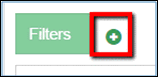
In general, you can use filters if you wish to narrow down data displayed on the page. To add a filter, click the add (+) icon in the Filters section, as shown in the following image.
The fields for filtering are displayed, as shown in the following image.
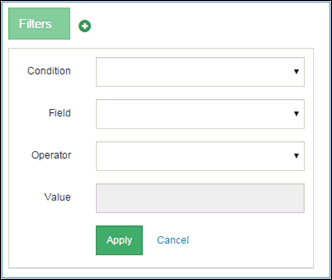
Each filter consists of the following fields:
- Condition. Contains the following drop-down list of conditions:
- Must. The list of filtering results fully coincides with the filtering criteria.
- Must Not. The list of filtering results should only include records that do not include the selected filtering criteria.
- Should. Allows you to search for different values within the same field. For example, if first names John and Adam need to be found, then two filters with the Should condition must be applied.
- Field. Select an attribute that you wish to filter from the list of available attributes. They are configured through the Administration menu. For more information, see Configuring Fields for Filters.
- Operator. A list of operators that can be used for filtering. They depend on the type of field that you used as a filtering criteria:
- For string values, the Equal ( = ) operator is available.
- For numeric value, the Equal ( = ), Greater than ( > ), and Less than ( < ) operators are available.
- Fore date value, the Equal ( = ), Greater than ( > ), and Less than ( < ) operators are available.
- For Boolean and SourceCode values, the Equal ( = ) operator is available.
The Equal ( = ) operator searches for values that fully coincide with the criteria entered.
The Greater than ( > ) or Less than ( < ) operators search for values that are greater/less than the criteria entered.
- Value. Field for entering the actual value of the field. It is enabled after the Field attribute is selected.
To simplify filtering, the autocomplete functionality has been implemented. To use the functionality, select the field and enter a value. While you are typing, a list of values fall under the entered criteria. All values that have that character in them are displayed. For example, if you selected City in the Field drop-down list, and then started typing n in the Value field, then a list of cities that contains n will be displayed, as shown in the following image.
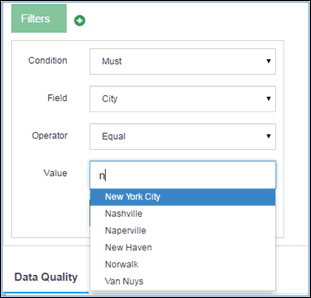
Note: Autocomplete functionality is available only for String values.
The list of values that is displayed as autocomplete depends upon filters already applied. For example, if filtering by first name Deborah was applied, and you wanted to apply another filter by city that contained the letter n, then only those cities that have citizens with the first name Deborah will be displayed in the autocomplete list, as shown in the following image.

Note: Filtering by values with asterisks or partial values is not supported.
Once a filter is applied, the whole Filters section can be collapsed (1), or the filter can be edited (2), or deleted (3), as shown in the following image.
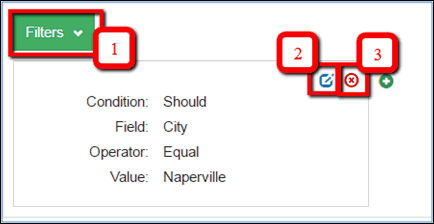
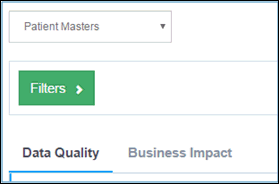
The following image shows a collapsed Filters section.
Global Filters
Global filters are filters that are located just under the Domain drop-down list. They are called Global because they are applied both to DQ and BI tabs, and to their sub-tabs, as shown in the following image.
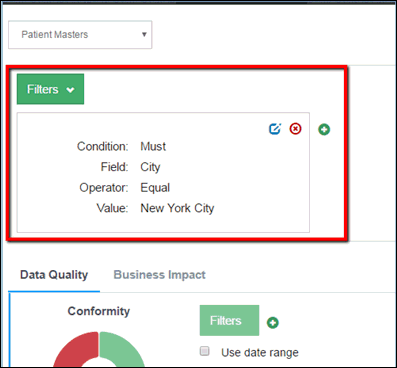
Similar to Dimensions, Global filters work with all of the data in the dataset. After global filtering, the dimension percentage is recalculated for the valid records.
Note: If the criterion of a global filter is not met in any data records, the following message will be displayed, and the dimension percentage will not change:
No data for current domain
Local Filters
Local filters are filters that are located under each sub-tab of the DQ and BI tabs. They can be added on different levels after breakouts. They can also influence data for the selected dimension or measure sub-tab.
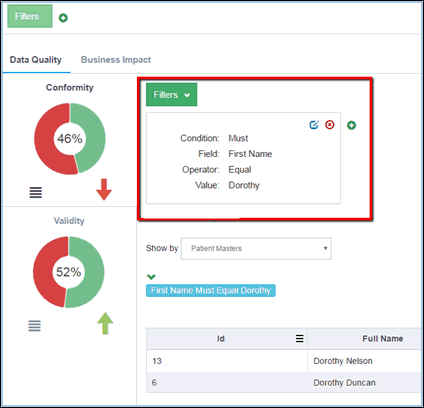
Similar to grid and breakout functions, the local filters work with the data on the page. Adding a local filter will not have an impact on the calculation of dimensions.