Administration Menu
|
Topics: |
This section describes how to configure iWay Data Quality Monitor (DQM) through the Administration menu.
Configuring Fields for Filters
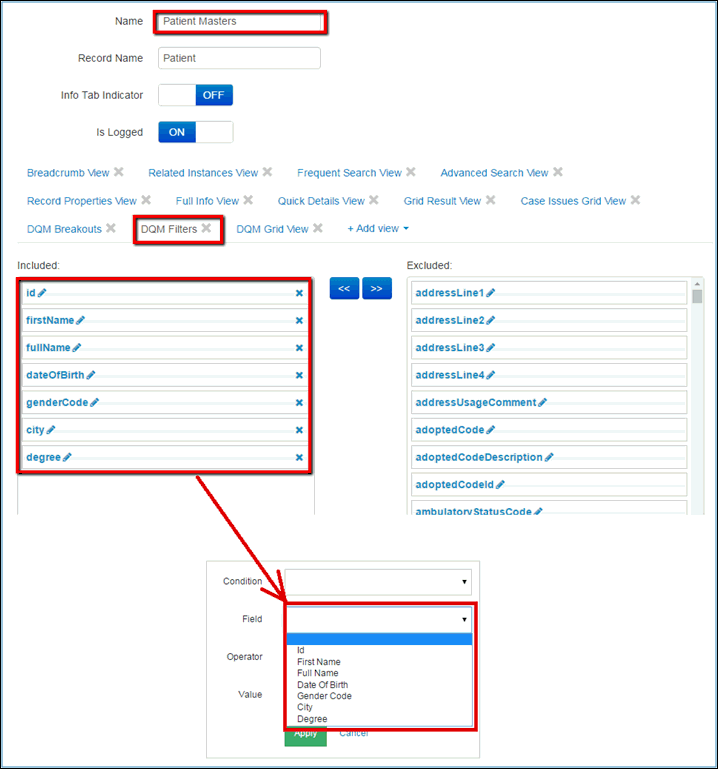
In order to define fields that need to be displayed in the list of Filtering criteria, you must edit the appropriate domain or sub-domain table. For example, if you are working with the Patient Masters domain, you will need to edit the Patient Masters table, in the DQM Filters view. Fields in the Included column are shown in the following image.
Configuring Fields for Breakouts
|
Topics: |
This section describes how to configure the Domain and Sub-domain fields for Breakouts.
Configuring the Domain Fields
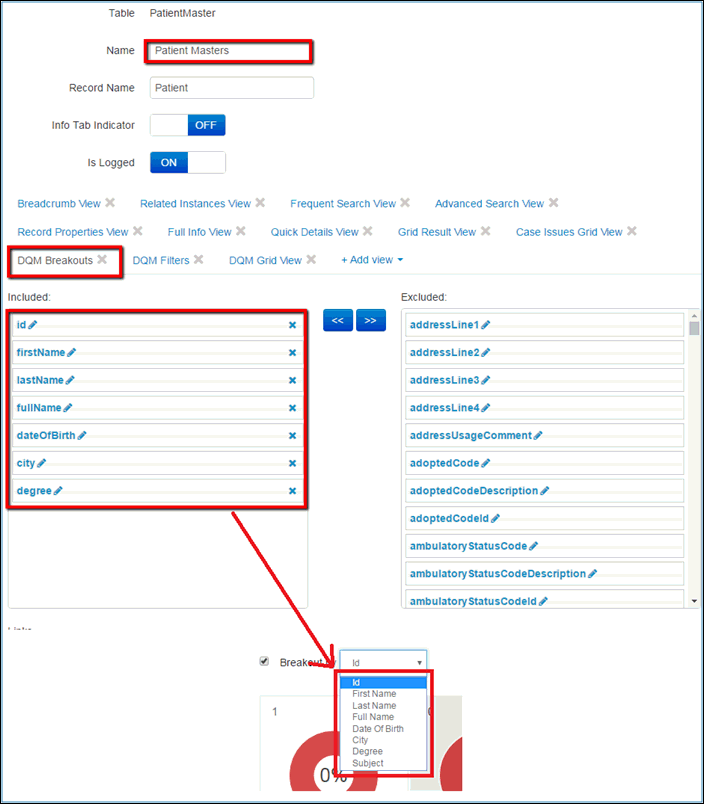
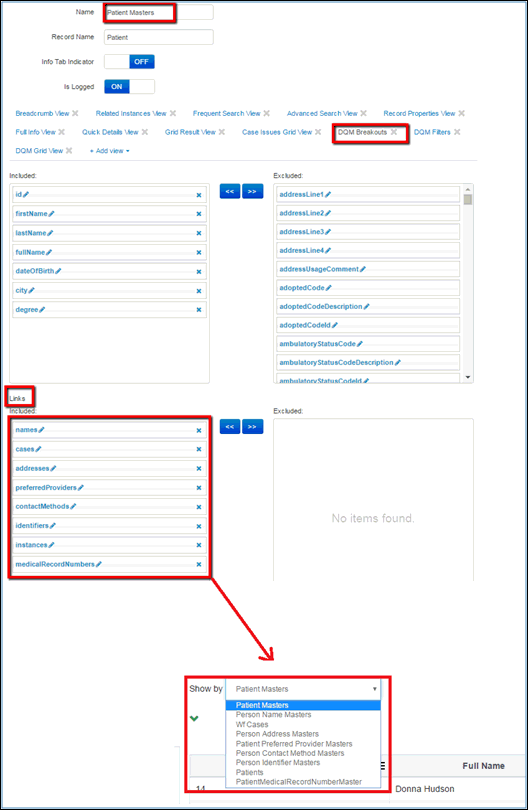
In order to define the fields that are displayed in the list of Breakouts, you must edit the appropriate domain table. For example, if you are working with the Patient Masters domain, you will need to edit the Patient Masters table, in the DQM Breakouts view. Fields in the Included column are shown in the following image.
Configuring the Sub-domain Fields
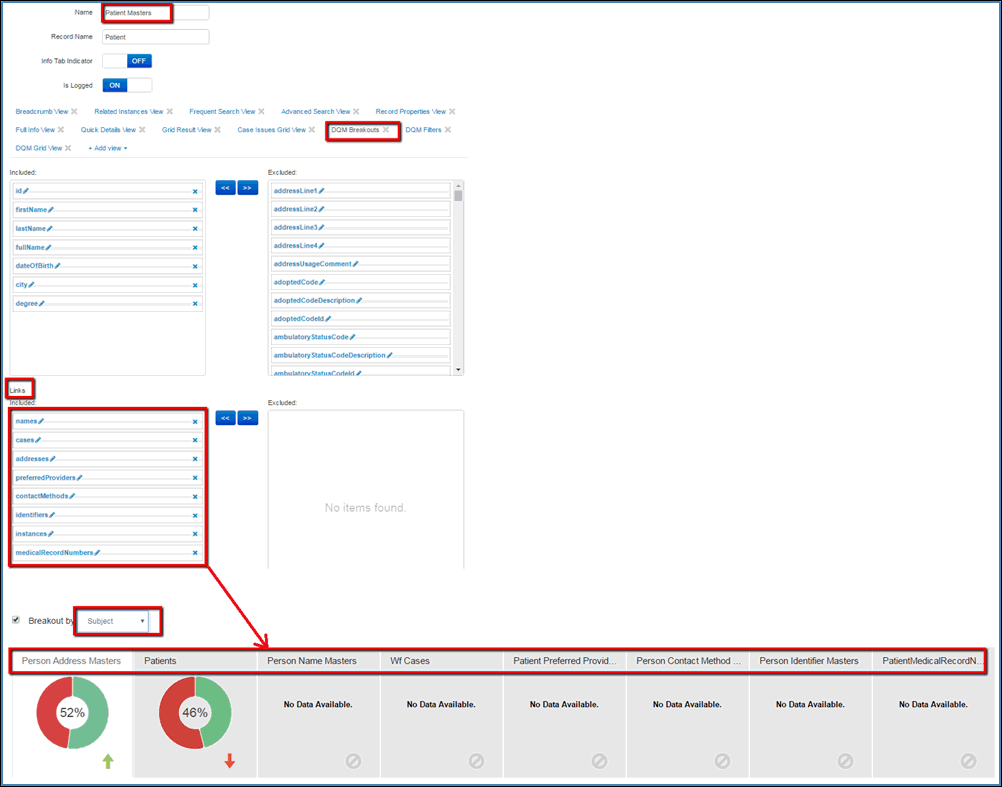
In order to define the fields that are displayed as tabs after the breakout by subject, you must edit the appropriate domain table. For example, if you are working with the Patient Masters domain, you will need to edit the Patient Masters table, in the DQM Breakouts view. Fields in the Included column for the Links section are displayed in the following image.
Configuring Fields for 'Show By' Functionality
In order to define fields that are displayed in the list of Show By criteria, you must edit the appropriate domain or sub-domain table. For example, if you are working with the Patient Masters domain, you will need to edit the Patient Masters table, in the DQM Breakouts view. Fields in the Included column for the Links section are shown in the following image.
Configuring Fields for the Grid
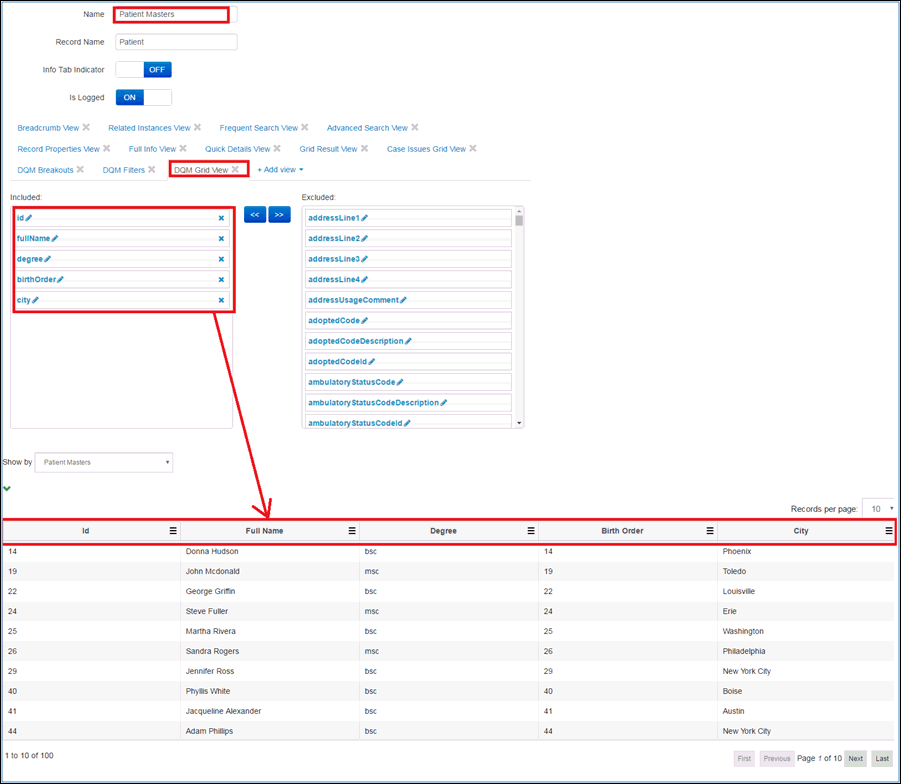
In order to define fields that are displayed in the grid, you must edit the appropriate domain or sub-domain table. For example, if you are working with the Patient Masters domain, you will need to edit the Patient Masters table, in the DQM Grid view. Fields in the Included column are shown in the following image.
Configuring Fields for Trends
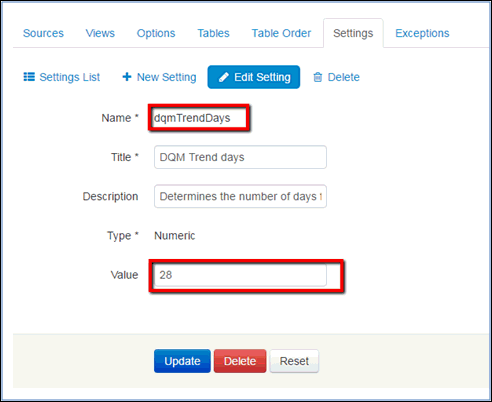
The number of days that are used for calculating trends is defined in the DQMTrendDays setting (located in the list of Settings in the Settings tab of the Administration menu). You can change the value as needed, as shown in the following image.