Key Features
This section provides a summary of key features available in iWay Service Manager (iSM) and iWay Integration Tools (iIT) in version 8.0.3. For more information, refer to the online documentation.
iWay 8 Reference KnowledgeBase
Visit the new iWay 8 Reference KnowledgeBase, which contains technical content for iWay Integration Tools (iIT), iWay Service Manager (iSM), and How-to's.
https://iwaykb.informationbuilders.com
The iWay 8 Reference KnowledgeBase supports your success with iIT, your application design-time environment and iSM, your application run-time environment.

You can search across the KnowledgeBase for iWay 8 reference topics and How-to's. Additional technical content will be published on an ongoing basis.
Converting Apache Avro Response Objects to XML or JSON Format
The Apache Avro File Read Service (com.ibi.agents.XDAvroFileReadAgent) includes the Conversion Format parameter, which can automatically create an XML-based or JSON-based structure for further data processing.
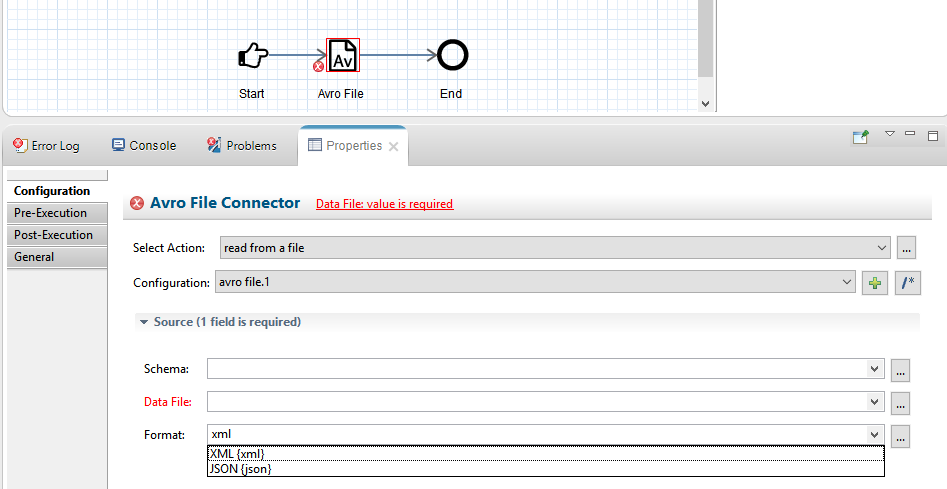
This service reads an Avro container in binary format and returns the objects it contains. The objects are converted to XML or JSON, depending on the configuration of the Conversion Format parameter. The Avro data can originate from an input document or a specific file.
Changing Your iWay Service Manager Administration Console Password
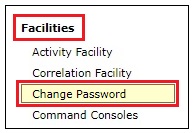
The Change Password option allows users to change their password while logged in to the iWay Service Manager Administration Console. This feature applies only to users currently logged in to the Console Security Realm (the default security realm) and does not apply to other security realms, such as LDAP. In the iWay Service Manager Administration Console, the Change Password option is located in the left pane of the Server page, under the Facilities group, as shown in the following image.
Selecting the Change Password option opens the Users pane where you can enter your current password and a new password, which must be confirmed, as shown in the following image.
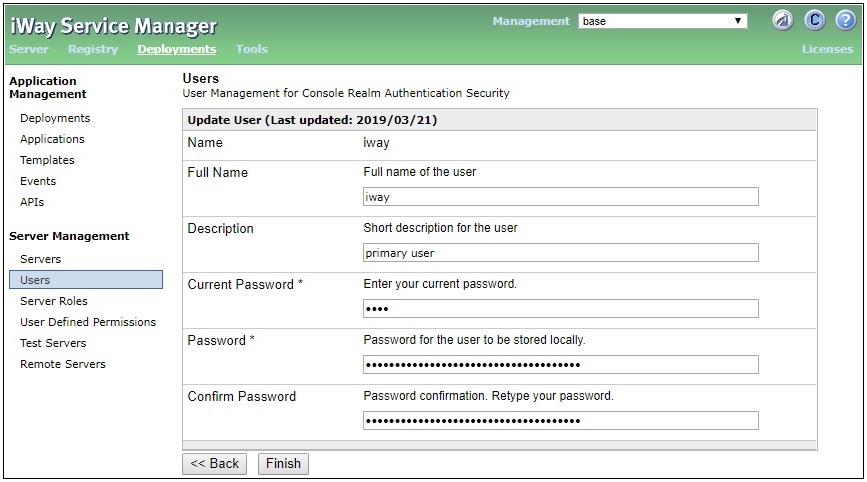
Click Finish when you have completed making your changes.
Apache Kafka Connector
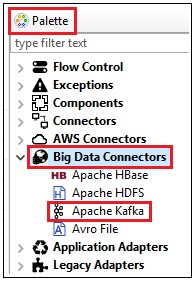
The Apache Kafka Connector enables real-time data exchanges between Apache Kafka and other applications, databases, and external business partner systems. When configuring a process flow in iIT, the Apache Kafka Connector can be selected from the Palette under the Big Data Connectors group, as shown in the following image.
This connector enables external applications for inbound and outbound processing with Apache Kafka:
- Service Connector (Outbound). Applications use this capability when they need to send information to Apache Kafka.
- Event Connector (Inbound). Applications use this capability when they need to consume messages that are received from Apache Kafka or use Apache Kafka as an event processing system.
Message interactions through the connector can consist of the following types:
- Request
- Response
- Event Receive
Using the connector with iWay 8 events can consist of the following types:
- Event Trigger
- Event Data Serialization
Integration with Apache Kafka can be implemented without configuring complex property files of different types. XML and JSON documents from Apache Kafka can also be created without coding or learning special record or serialization rules.
Amazon DynamoDB Streams Listener
A DynamoDB stream is an ordered data flow containing information about changes to items in an Amazon DynamoDB table. When you enable a stream on a specific table, DynamoDB captures information about every modification to the items within that table.
Whenever an application creates, updates, or deletes items in a table, DynamoDB Streams writes records to the stream with the primary key attribute of the items that were modified. Each stream record contains information about a change to a single item in the DynamoDB table. The stream can be configured so that records capture additional information, such as images of the modified item before and after the modification. DynamoDB Streams guarantees that each stream record appears exactly once in the stream and that records appear in the stream in the same sequence as the actual modifications to the data items. The DynamoDB Streams listener uses the DynamoDB Streams Kinesis Adapter and the Kinesis Client Library (KCL) to consume a stream. The required third-party libraries are automatically installed with the DynamoDB Connector. No additional installation steps are required.
When the DynamoDB Streams listener starts, it instantiates a Kinesis worker, which creates record processors to handle incoming records from the stream. Each record processor is associated with one or more shards of the stream. Batches of records from a single shard are dispatched to a record processor. For each batch, the record processor uses a single iWay Service Manager (iSM) worker to process records consecutively, preserving the order within the batch. The record processor uses checkpoints by saving the sequence numbers of records that have been processed. The frequency of these checkpoints can be configured as a property of the DynamoDB Streams listener.
When using the Channel Builder in iIT to configure a channel, you can select the DynamoDB Streams listener from the Listener Component Type dialog box, as shown in the following image.
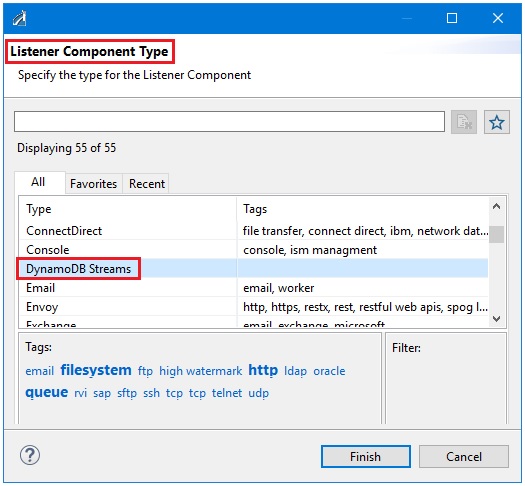
Note: A stream must be enabled for a table before it can be accessed by a listener. The listener does not enable the stream automatically.
JSON Validation Against a Schema
The Check Document Against External Schema Service (com.ibi.agents.XDCheckSchema) has been updated to support JSON-based validation against a JSON schema in addition to prior XML validation against an XML schema. This enables the application to validate the JSON format of a given document prior to passing it for further processing, which ensures that only valid data is being processed and any data format issues can be flagged earlier in the processing cycle. The new configuration options are available in the Check Schema Service (com.ibi.agents.XDCheckSchema).
Docker and Cloud Support
To use Docker-based deployment, ensure that you review the updated license agreement during the iWay Release 8.0.3 installation. You may also review the license post-installation to ensure that your deployment adheres to the Docker-based licensing. For further information or clarification for Docker-based licensing, contact iWay Customer Support.
Packaging an iWay application into a Docker image is now supported, which enables streamlined deployments into a cloud environment of your choice. When an iWay application is created in iIT, you can select an option to enable Docker, as shown in the following image.
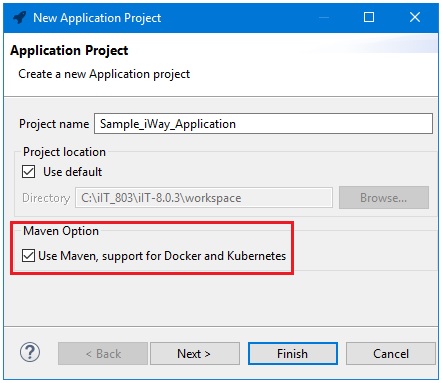
Selecting this option will create all of the necessary structures, such as a Docker file and a project object model (POM) file.
The application image can easily be created using the Maven plug-in within iWay Integration Tools (iIT). The Docker Explorer in iIT can be used to monitor and manage your Docker instances. Full support for Kubernetes enables you to take a Docker image and easily deploy it into Docker, or cloud-based environment.
Slack Connector
The Slack Connector enables an iWay application to integrate and communicate with Slack during data processing. When configuring a process flow in iIT, the Slack Connector can be selected from the Palette under the Connectors group, as shown in the following image.
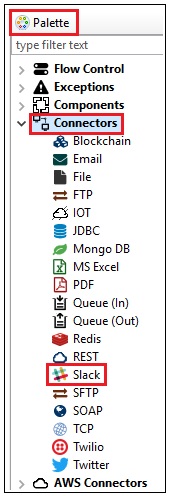
This connector allows you to perform standard actions, such as subscribing to a specific Slack channel, posting messages, and many others. This allows you to send live feeds from a Slack system to a specific user or a group of users. This proactive real-time notification can be used as part of system operations or business operations.
Amazon S3 Listener
The Amazon S3 listener polls the Amazon Simple Storage Service and accepts objects based on their key. This listener can store the contents of the object in a document or generate a small signal document with the information from the object summary. After processing, the object is deleted. Optionally, the object can be copied to a removal destination before it is deleted.
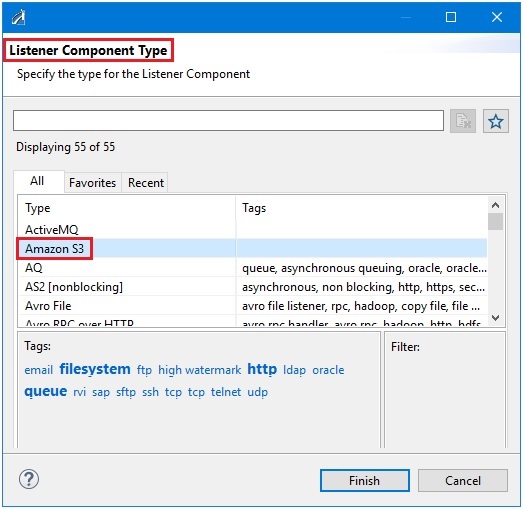
When using the Channel Builder in iIT to configure a channel, you can select the Amazon S3 listener from the Listener Component Type dialog box, as shown in the following image.
Embedded Runtime
As of iWay Version 8.0.3, embedded iSM runtime is available in iIT. This enables the expedited development and testing of the application components without requiring an external iSM installation. For instance, when testing the process flows, you are now given the option to either test the pflow (which means test it locally) or test Remote, as shown in the following image.
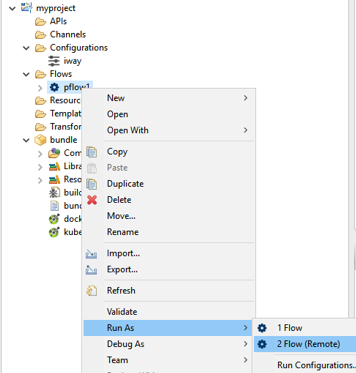
- Local (default). When the Remote option is not selected, the process flow will be tested using embedded runtime. You have an option to select which iSM runtime to use. The application is used to create a local runtime environment and is started in the Console. The process flow is executed against this local runtime and the results are returned to you. The runtime is shut down automatically. You are not required to have a separate iSM installation for this.
- Remote. You will need to provide the location of the running iSM instance where the application will be deployed as a test server. If not, the provided configuration will be used to execute the process flow.
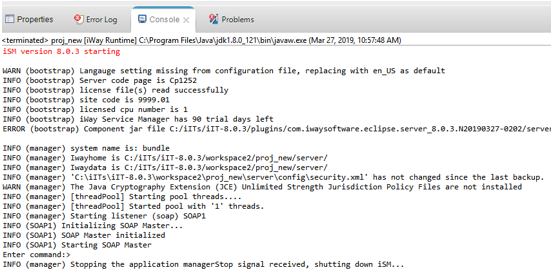
The following image of the Console shows the process of starting a local environment, the execution of the test component, and the final shut down of the local environment.
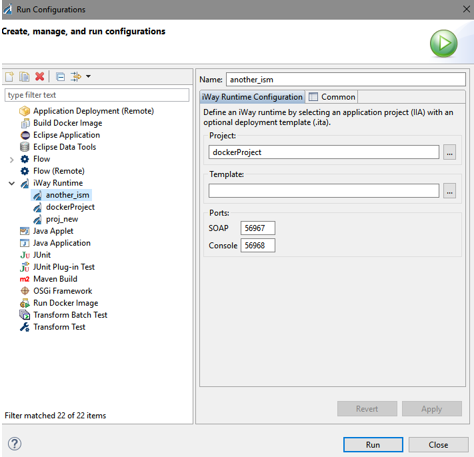
iWay runtimes can be managed in the Configurations area, as shown in the following image. You can create multiple runtime environment definitions for different application projects and templates to be used for local test purposes.